OfferUp has been in business for nearly 15 years. Although little known outside the US, the marketplace app competes for consumer hearts and minds with industry giants Craigslist, Facebook Marketplace and eBay. And like them, it has a problem with fraud. If you’re looking to buy or sell on the platform and want to stay clear of the scammers, read on.
Top 10 OfferUp scams
OfferUp claims to process over 30 million transactions each year. That’s inevitably going to attract some users with nefarious motives. Here are the most common scams you may encounter on the platform:
Counterfeit items
Beware of high-value items that turn out to be rip offs. The seller will typically try to persuade you to pay via a third-party service (e.g., Zelle, Venmo) rather than through the app, as doing so means the item won’t be covered by OfferUp’s Purchase Protection.
Payment scam
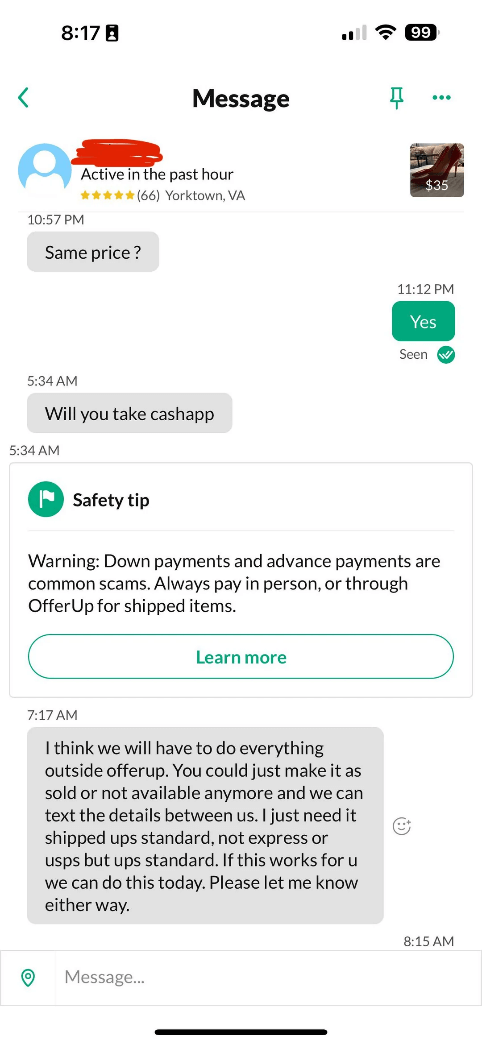
As above, scammers (whether buyer or sellers) will often try to trick you into transacting via third-party cash app services. They may:
- Promise to pay above the asking price for a product you’re selling, in order to persuade you to agree to them using a cash app. They then overpay using a stolen account or fake check, and ask for a refund. If you pay it, you’ll eventually be down the refund, plus your item, and may be asked to repay the original fraudulent sum
- Ask to pay via gift cards, which turn out to be fake or with zero value
- Claim to be out-of-town sellers, requesting cash-app payment for items they never end up shipping
Account takeover
A buyer asks you for a verification code in order to ‘verify’ your listing, for instance through Google Voice. In fact, they’re usually trying to log into your account and need the two-factor authentication code sent by OfferUp. If you hand it over, they get control of your account, enabling them to access your personal information and potentially use your account to scam others.
Empty box
Some sellers add disclaimers in a lengthy item description saying they are only offering the box or a digital photo of the item. So when it arrives, all you’ll receive is an empty box.
Phishing links
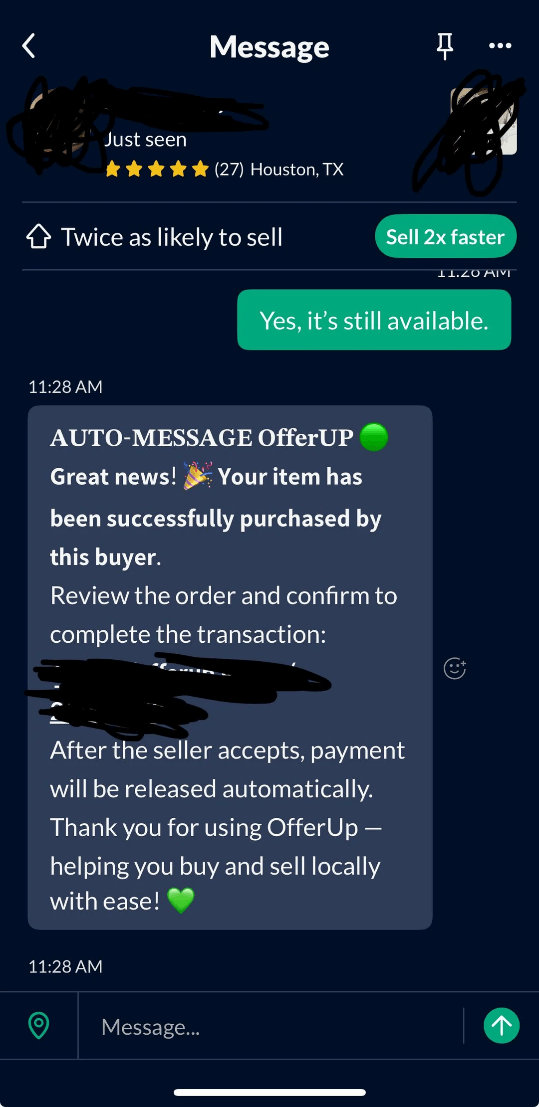
Scam buyers and sellers might send you a message saying something like “click here to get paid” or “click to verify your info”. Doing so will take you to a phishing site where you’ll be asked to fill in your logins, payment details and/or other sensitive personal information.
Email phishing
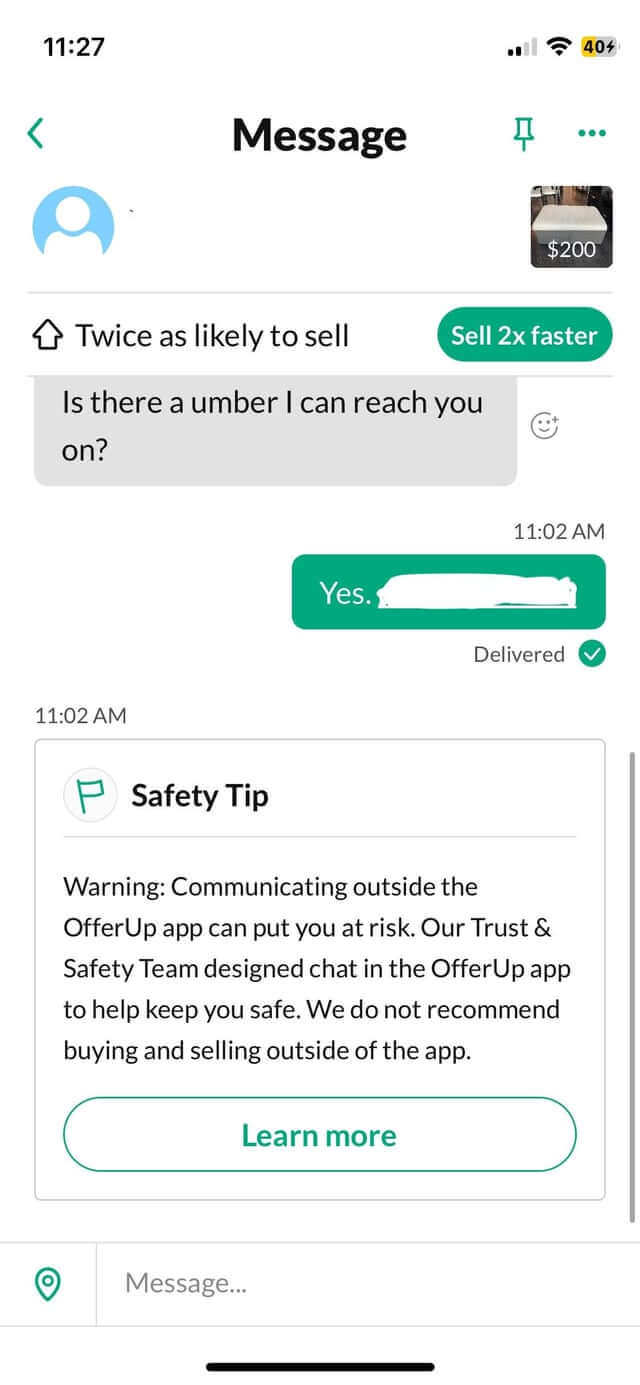
Some buyers or sellers might ask for your email address or phone number during the transaction process. They’ll use it to spam you with malicious links designed to steal your information or install malware on your device.
Deposit scam
A seller posts a high-value item, offering to deliver it to you as long as you put a deposit down to secure it. It turns out the item doesn’t exist, and you’ve lost the deposit.
Bouncing checks
A scammer pays for an item you’re selling via check, which bounces several days later, leaving you without the item and no payment.
Investment opportunity
A seller posts a listing about an “investment opportunity” or similar, but requires you to send money first.
Fake jobs
Scammers may pose as employers that require upfront payment for ‘background checks’ or similar. Alternatively, they may request you fill in your personal and financial details as part of the ‘application process,’ which they can use for identity fraud.
What OfferUp protects
OfferUp offers 2-day Purchase Protection for buyers, meaning that you have 48 hours from delivery to file a claim for items:
- Significantly not as described
- Damaged in transit
- Counterfeit
You can also file for items not received and/or empty box scams.
However, OfferUp will not offer protection for anything purchased off-app, or that violates its rules (e.g., gift cards, alcohol), or that was paid for in cash, in person.
What to look out for
When you’re browsing the app, the following should all be red flags:
- Deals that are too good to be true, usually from fraudulent sellers who want you to put a deposit down, or scam buyers wanting to persuade you into transacting off app.
- A buyer profile with no history. This isn’t necessarily a scammer, but it pays to be extra cautious
- A suggested meetup point that’s not a Community Meetup Spot, as this could indicate they want the transaction not to be observed
- A buyer/seller asks for a verification code, which they actually want to log into your account
- Buyers/sellers send you messages containing links to ‘verify’ or similar
- A seller tries to use urgency to rush you into making an unwise decision, like buying a counterfeit item or putting a deposit down for a non-existent item.
- Emotional manipulation, such as scammers saying they can't meet in person because they are in the military or out of town on family emergency
- Phrases like "box only," "digital photo," or "replica" hidden in a lengthy product description
- Requests to pay off app
- Stock photos of items rather than ones they’ve taken themselves, indicating they don’t actually own the product
- Overpayment for an item
Staying safe
To stay safe on the app, the advice is very simple: don’t leave it and don’t click on any dubious links. That means never leaving the app for messaging or payments, never handing over your personal details, and not responding to messages with links in them. If you arrange an in-person sale, make sure it’s at a Community Meetup Spot. And if you want to be ultra careful, only buy from or sell to a user with a “TruYou” badge on their profile, indicating their identity has been verified.
I’ve been scammed, what next?
If the worst-case scenario comes to pass, report the scam to OfferUp immediately, in case you’re covered by the firm’s 2-day Purchase Protection. In Messages, tap the conversation with the scammer and the three dots in the corner, then Report. Submit a Purchase Protection claim in the OfferUp Help Center.
If you’ve paid outside of the app, contact your bank to file a chargeback (if a card payment) or file a report with the cash app you paid with. The latter is unlikely to get your money back, but may help get the scammer banned.
If you’ve shared personal information or a verification code with a scammer, change your app passwords, and do the same for any sites you reuse the same credential on. Monitor your bank accounts for unusual activity. And be wary of any follow-up phishing attempts that pop into your inbox/messages.
Finally, consider reporting the scam to the authorities, eg FTC, FBI or Report Fraud (UK). Before you delete messages or block the user, take screenshots of the original listing, the scammer’s profile, your chat history and any payment receipts.
OfferUp is great way to pick up bargains in your area, or make a little extra money from items you no longer need. But remember, not everyone is acting in good faith.